Regex Tutorial: Regular Expressions Explained with Examples
Published November 9, 2026 · 14 min read
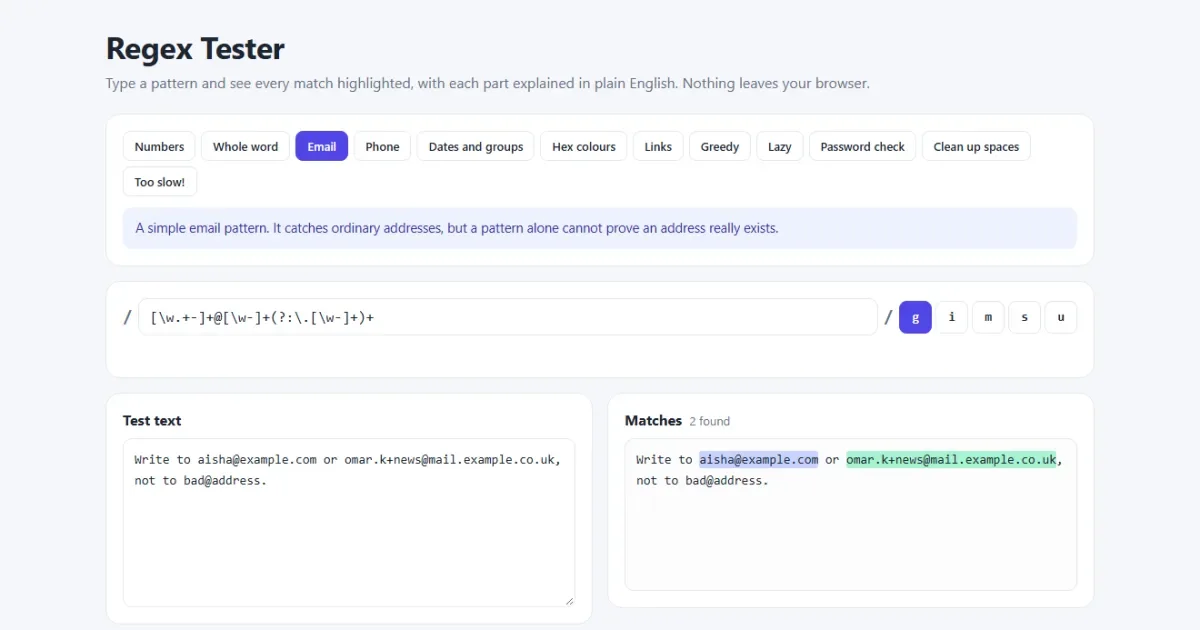
Regular expressions look like someone fell asleep on the keyboard, but they're built from a small set of simple parts. Once you can read those parts, you can search, validate and clean up text in a single line of code, in almost any programming language.
This guide builds up from the very first pattern to real-world examples you can copy. You can try each one in a live tester that explains the pattern in plain English.
Open the regex tester Type a pattern and see what it matches, and why.
Regex cheat sheet
| Pattern | Matches |
|---|---|
. | Any character except a new line |
\d / \D | A digit / not a digit |
\w / \W | A letter, digit or _ / anything else |
\s / \S | Whitespace / not whitespace |
[abc] | One of a, b or c |
[^abc] | Any one character except a, b or c |
[a-z] | One character in this range |
* + ? | 0 or more, 1 or more, 0 or 1 |
{3} {2,} {2,4} | Exactly 3, 2 or more, 2 to 4 |
^ $ | Start and end of the text |
\b | The edge of a word |
(abc) | A capture group |
a|b | a or b |
Your first regex
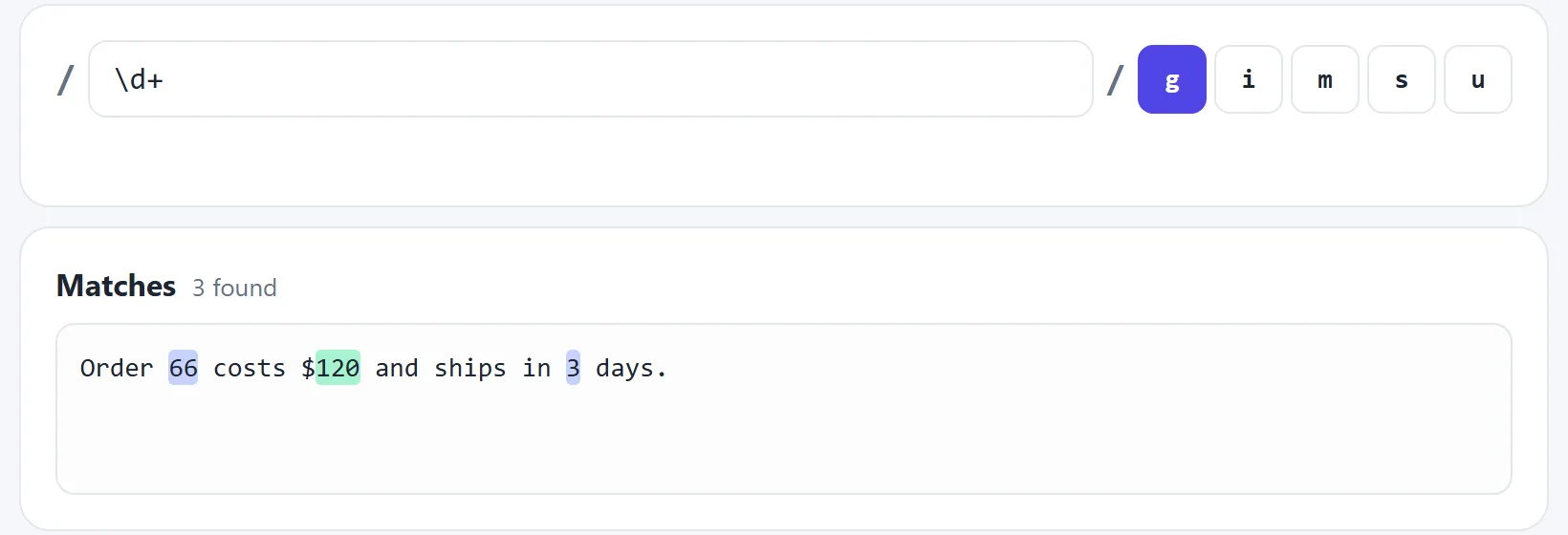
const text = "Order 66 costs $120 and ships in 3 days.";

const numbers = text.match(/\d+/g);

console.log(numbers); // ["66", "120", "3"]
Here's how to read /\d+/g. The slashes mark the start and end of the pattern,
\d means any digit, + means one or more, and the g flag means
find all of them instead of stopping at the first.
Plain characters and special characters
Most characters simply match themselves, so /cat/ finds the letters “cat”,
even inside “concatenate”. A few characters have a special meaning:
. * + ? ^ $ ( ) [ ] { } | \To match one of these literally, put a backslash before it. /\$20\.00/ matches the text
“$20.00”. Forgetting this is very common: /1.5/ also matches
“1x5”, because the dot means any character.
Character classes: one of these
Square brackets match one character from a list:
[aeiou]       one vowel
[0-9]         one digit
[a-zA-Z]      one letter, either case
[^0-9]        one character that is NOT a digit
gr[ae]y       matches both gray and grey
A ^ at the start of the brackets means “not”. Inside brackets most special
characters lose their meaning, so [.] is just a dot.
The shorthand classes save typing: \d is a digit, \w is a word character,
and \s is whitespace. Their capital versions mean the opposite.
Quantifiers: how many
A quantifier goes after something and says how many of it to match:
| Quantifier | Meaning | Example | Matches |
|---|---|---|---|
* | 0 or more | ab*c | ac, abc, abbc |
+ | 1 or more | ab+c | abc, abbc |
? | 0 or 1 | colou?r | color, colour |
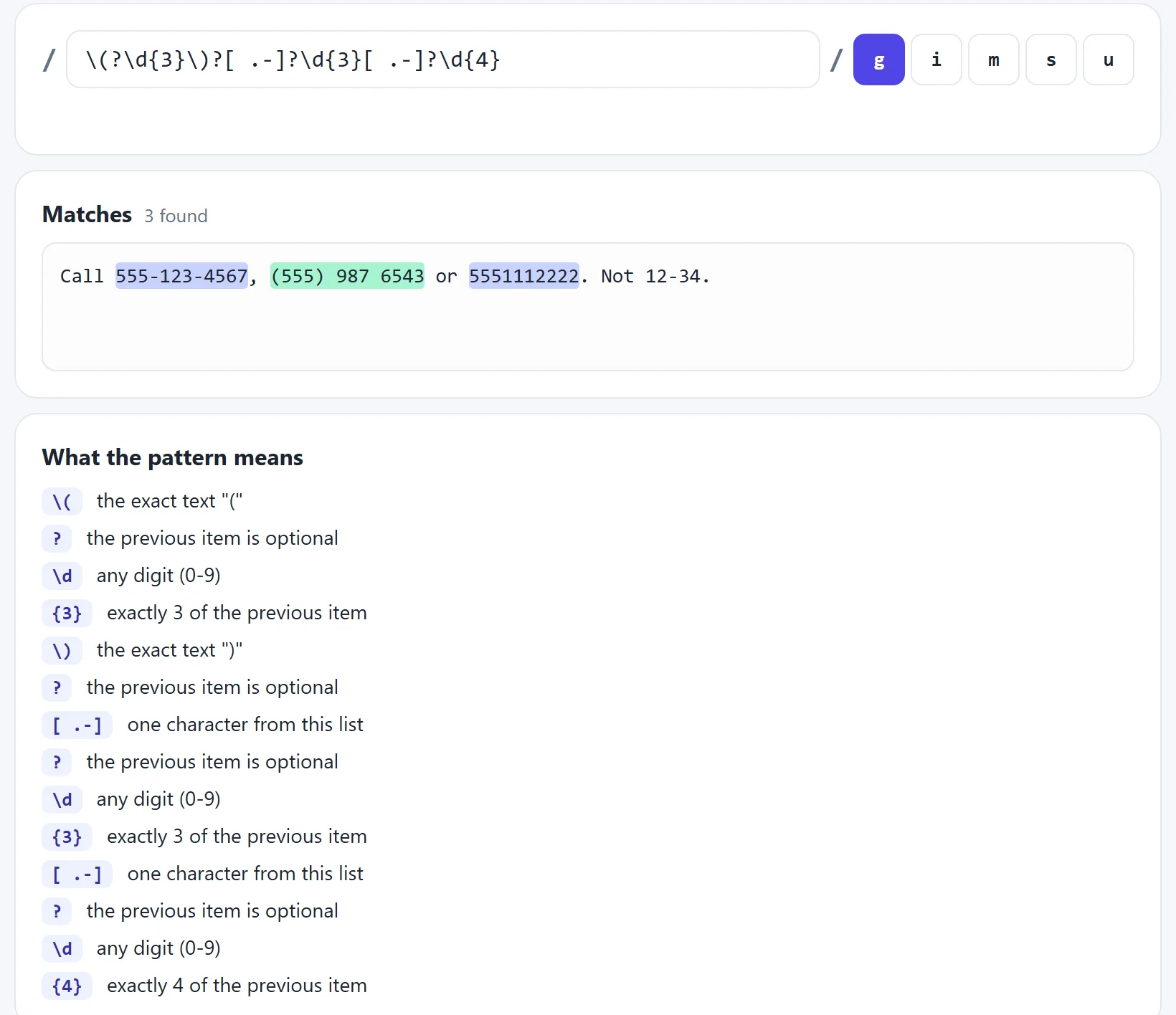
{3} | Exactly 3 | \d{3} | 123 |
{2,4} | 2 to 4 | \d{2,4} | 12, 123, 1234 |
Greedy vs lazy
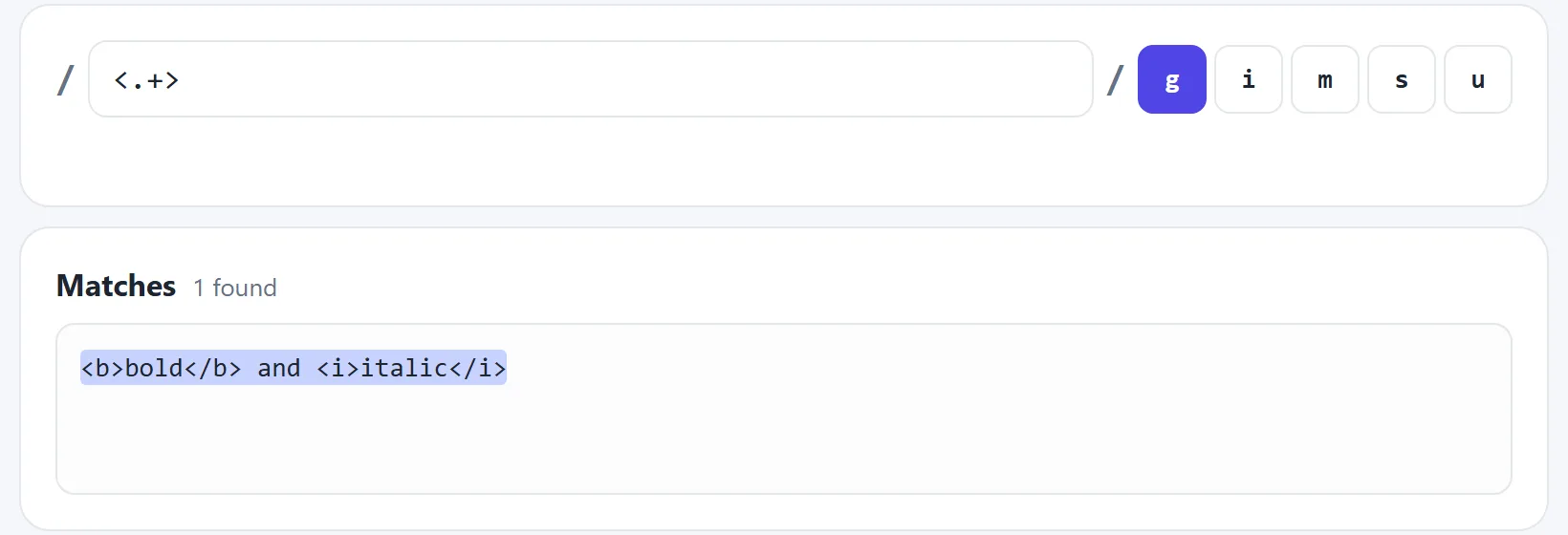
By default, quantifiers are greedy: they grab as much as they possibly can. Add a
? after one to make it lazy, so it takes as little as it can.
const html = "<b>bold</b> and <i>italic</i>";

html.match(/<.+>/g);   // ["<b>bold</b> and <i>italic</i>"]
html.match(/<.+?>/g);  // ["<b>", "</b>", "<i>", "</i>"]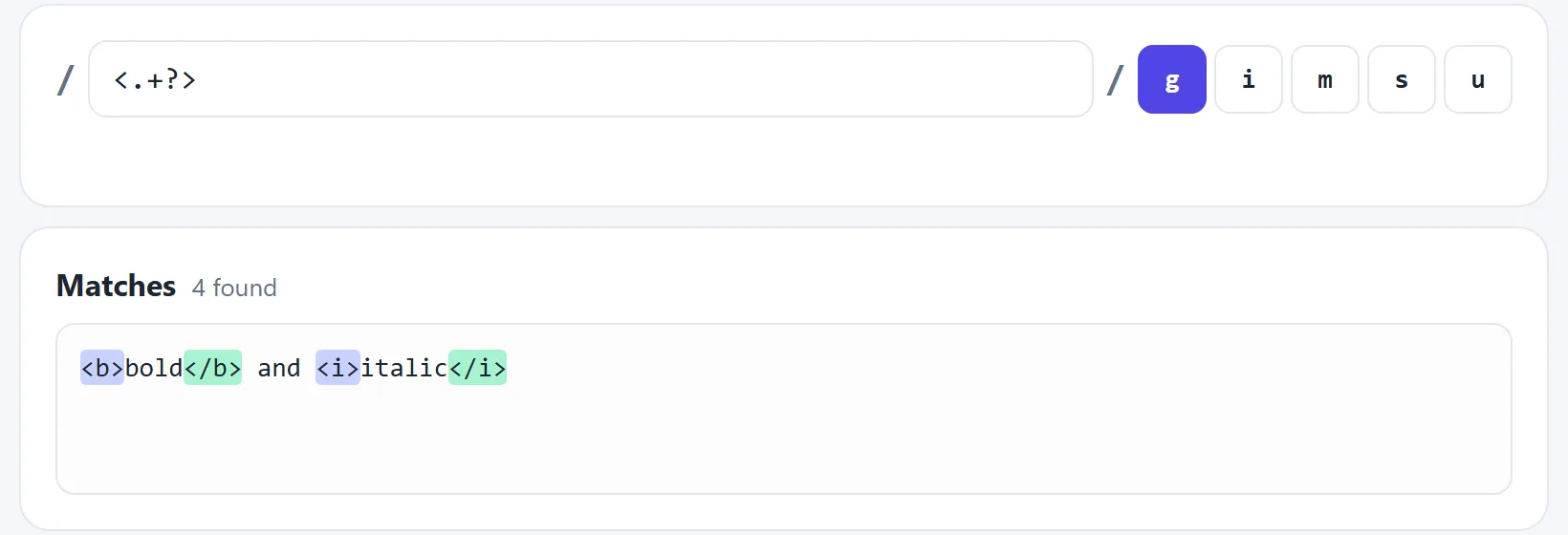
Regex is fine for quick jobs like this, but don't use it to process full HTML. Use the browser's DOM methods or a real parser instead.
Anchors: where in the text
Anchors match a position rather than a character. They're essential for validation:
^Hello       text that starts with Hello
world$       text that ends with world
^\d{5}$      exactly five digits, and nothing else
\bcat\b      the word cat, but not concatenate
Without ^ and $, /\d{5}/ happily matches inside
“abc123456xyz”. Try the word boundary.
Groups: capture part of a match
Brackets do two things. They treat several characters as one unit, so (ab)+ matches
“ababab”. They also capture what they matched, so you can use it later:
const match = "2026-11-09".match(/(\d{4})-(\d{2})-(\d{2})/);

console.log(match[0]); // "2026-11-09"  the whole match
console.log(match[1]); // "2026"        group 1
console.log(match[2]); // "11"          group 2
Named groups make this much easier to read:
const re = /(?<year>\d{4})-(?<month>\d{2})-(?<day>\d{2})/;
const { year, month, day } = "2026-11-09".match(re).groups;

console.log(day);   // "09"

// and they work in replacements
"2026-11-09".replace(re, "$<day>/$<month>/$<year>");  // "09/11/2026"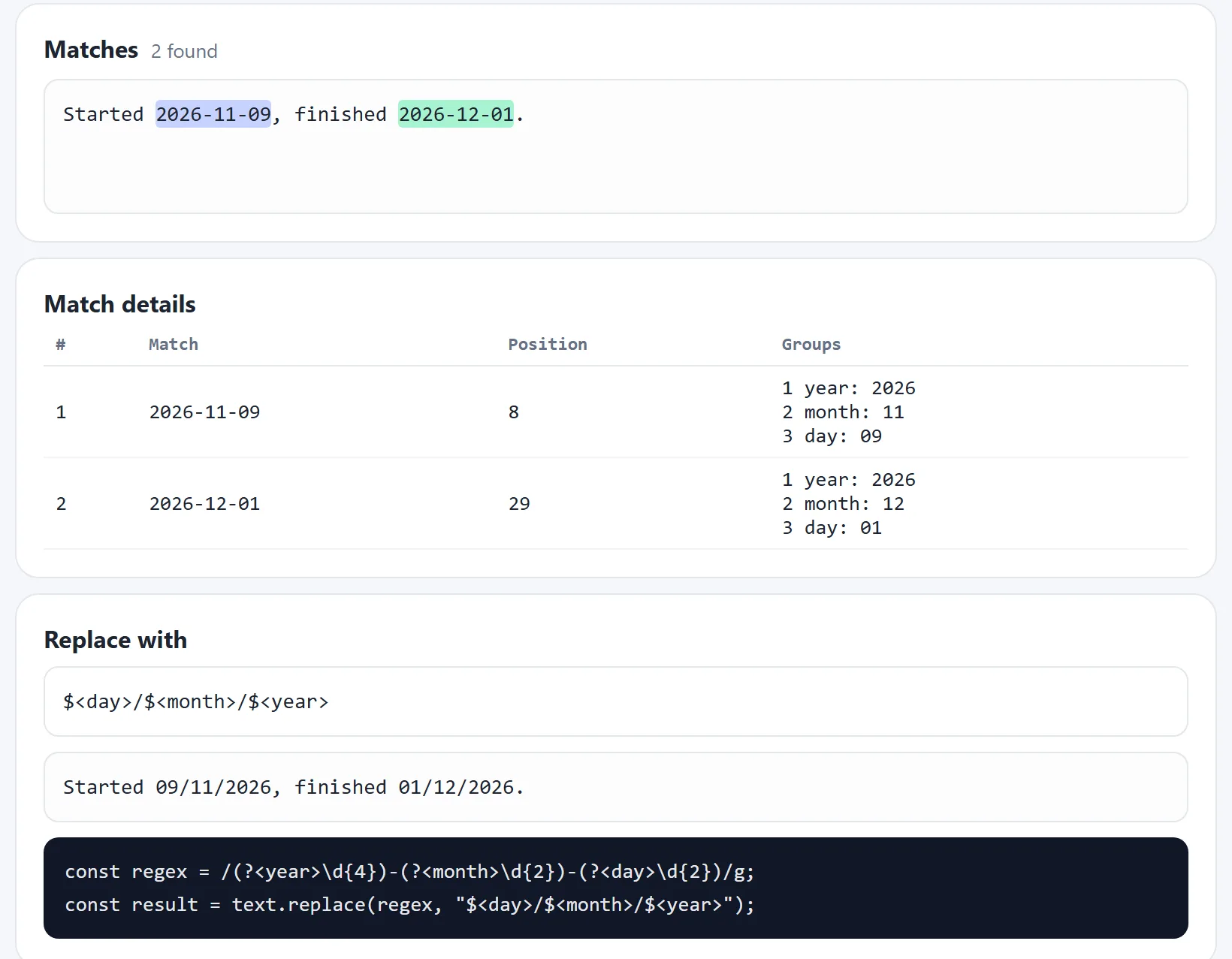
If you need the brackets but not the capture, use (?:...). For choices, use
|: /cat|dog/ matches either word, and /(?:cat|dog)s/ matches
“cats” or “dogs”.
Flags
| Flag | Meaning |
|---|---|
g | Global: find all matches |
i | Ignore upper and lower case |
m | Multiline: ^ and $ work on each line |
s | Dotall: . also matches new lines |
u | Full Unicode support, such as for emoji |
Lookaheads: check without consuming
A lookahead checks what comes next, but doesn't use up any text. (?=...) means
“followed by”, and (?!...) means “not followed by”. Because no text
is used up, you can stack several rules at the same position, which is perfect for password checks:
^(?=.*[a-z])(?=.*[A-Z])(?=.*\d).{8,}$There's also lookbehind: (?<=\$)\d+ matches digits that come straight after a dollar
sign, without including the dollar sign. See the password check.
Regex in JavaScript
| Method | Use it to |
|---|---|
regex.test(text) | Get true or false |
text.match(regex) | Get matches as an array |
text.matchAll(regex) | Loop over matches with their groups |
text.replace(regex, x) | Replace matches |
text.split(regex) | Split text on a pattern |
/^\d+$/.test("123");                       // true

"a1 b2".replace(/\d/g, "#");               // "a# b#"

"one, two;three".split(/[,;]\s*/);         // ["one", "two", "three"]

for (const m of "a=1, b=2".matchAll(/(\w)=(\d)/g)) {
  console.log(m[1], m[2]);                 // a 1, then b 2
}

// build a pattern from a variable
const word = "cat";
const re = new RegExp(`\b${word}\b`, "i");
When you build a pattern from a string, each backslash must be doubled. If the variable can contain user input, escape its special characters first.
Ready-to-use patterns
| To match | Pattern |
|---|---|
| Whole number | ^\d+$ |
| Simple email | ^[\w.+-]+@[\w-]+(?:\.[\w-]+)+$ |
| US phone number | ^\(?\d{3}\)?[ .-]?\d{3}[ .-]?\d{4}$ |
| Date as YYYY-MM-DD | ^\d{4}-\d{2}-\d{2}$ |
| Hex colour | ^#(?:[0-9a-fA-F]{3}|[0-9a-fA-F]{6})$ |
| Web link | https?:\/\/\S+ |
| URL slug | ^[a-z0-9]+(?:-[a-z0-9]+)*$ |
| Extra spaces | \s{2,} |
These check the format, not the meaning. The date pattern accepts 2026-99-99, and the email pattern can't tell you that a mailbox exists. Follow up with real checks where it matters.
Regex in other languages
The pattern is usually the same, and only the code around it changes:
import re

re.findall(r"\d+", "Order 66 costs 120") # ['66', '120']preg_match_all('/\d+/', "Order 66 costs 120", $matches);
print_r($matches[0]); // ["66", "120"]The r in Python makes a raw string, so backslashes stay as they are. PHP needs delimiters
around the pattern, usually slashes. Advanced features vary, so check your language's documentation.
Common mistakes
- Forgetting to escape.
.means any character. To match a dot, write\.. - Leaving out
^and$in validation. Without them, the pattern only needs to match somewhere inside the text. - Forgetting the
gflag. Without it,replacechanges only the first match. - Using
gwithtest(). The regex remembers its position between calls, so results alternate between true and false. - Greedy matches taking too much. If a match is far too long, try a lazy quantifier
or a stricter class such as
[^>]+. - Writing one enormous pattern. If you can't read it, split the job into two simpler steps.
Beware of slow patterns

Some patterns can take an extremely long time on text that almost matches. The classic form is
a repeat inside a repeat, such as (a+)+$. This is called catastrophic
backtracking. An attacker can use it to hang a server by sending carefully chosen input,
which is known as ReDoS.
Avoid nesting quantifiers, keep alternatives from overlapping, and limit the length of user input before you test it. The tester has a live example, which it stops safely after a moment.
Try it in the tester
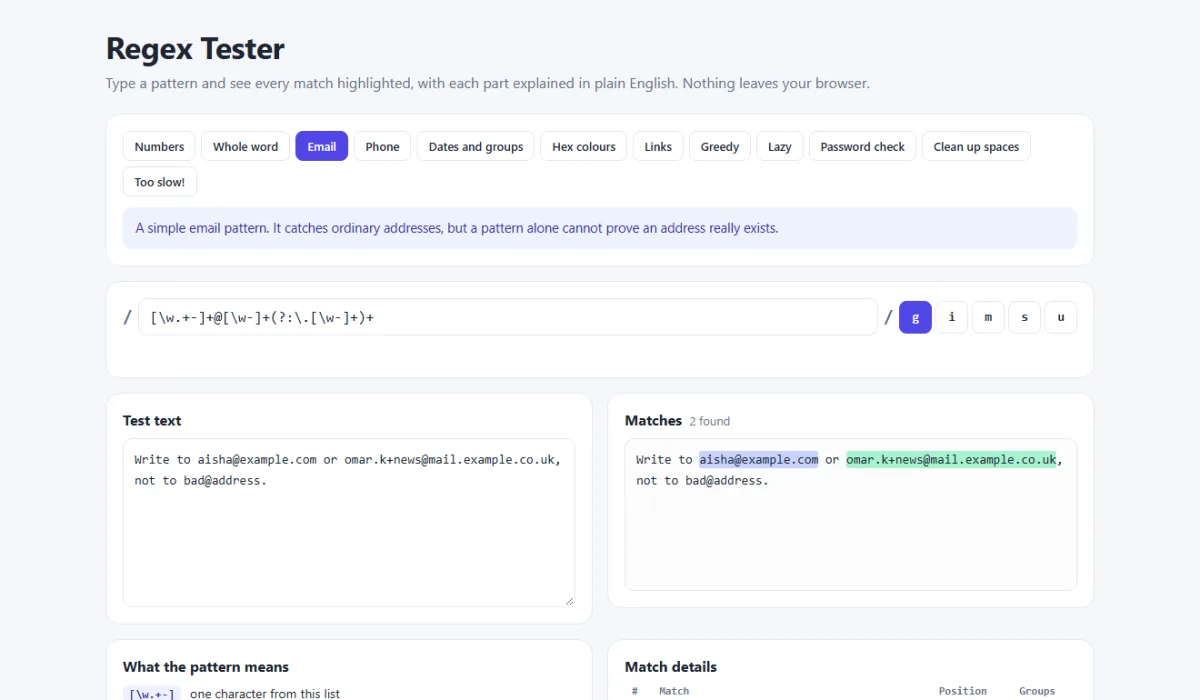
The regex tester uses your browser's real regex engine, and your text never leaves your device. Try these:
- In the “Numbers” example, change
\d+to\dand count the matches. - In “Whole word”, remove both
\bmarkers. - In “Dates and groups”, change the replacement to
$<month>-$<day>.
Related tools
Working with text and URLs? Try the guides on creating URL slugs and formatting JSON, or share a pattern using the free code sharing tool.
Frequently asked questions
What is a regular expression?
A regular expression, or regex, is a short pattern that describes text. You use it to search for text, check that it has the right format, pull out parts of it, or replace it. Most programming languages and code editors support regex.
What does .* mean in regex?
The dot matches any character except a new line, and the star means zero or more of it. Together, .* matches any amount of text on a line. It is greedy, so it takes as much as it can.
What is the difference between greedy and lazy matching?
A greedy quantifier such as + takes as much text as it can. A lazy quantifier such as +? takes as little as it can. On the text <b>x</b>, the pattern <.+> matches the whole string, while <.+?> matches only <b>.
What is a good regex for email validation?
A simple pattern such as ^[\w.+-]+@[\w-]+(?:\.[\w-]+)+$ catches most typing mistakes. No pattern can tell you that an address really exists, so the only true check is to send a confirmation email.
Why does my regex test() alternate between true and false?
A regex with the g flag remembers where it stopped in its lastIndex property, and test() starts from there next time. Remove the g flag when you only want a yes or no answer.
Is regex the same in every programming language?
The basics are the same almost everywhere. Advanced features and the way you write patterns differ slightly, so check the documentation for your language. For example, Python uses raw strings and PHP needs delimiters around the pattern.
Related articles
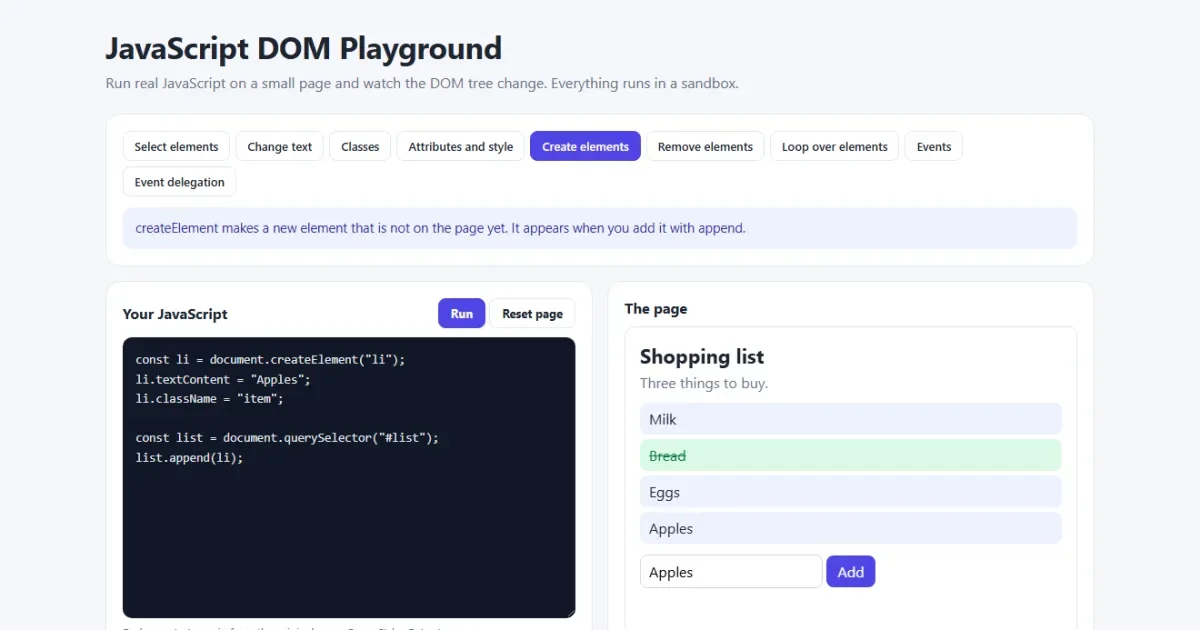
JavaScript DOM Manipulation Explained with Examples
Select elements, change text and classes, create and remove elements, handle events and delegation, then build a to-do list, with a live playground.
Read More →
JavaScript map(), filter() and reduce() Explained with Examples
The three array methods you will use every day, explained step by step with pictures and real examples, plus find(), some(), every() and chaining.
Read More →
How to Create an SEO-Friendly URL Slug: Rules, Examples and Mistakes
What a URL slug is, 9 rules for SEO-friendly slugs with good and bad examples, how to handle accents and stop words, and how to change a slug safely with a 301 redirect.
Read More →