Why Screenshot Sharing Is Better Than Email Attachments
Published October 17, 2026 · 7 min read
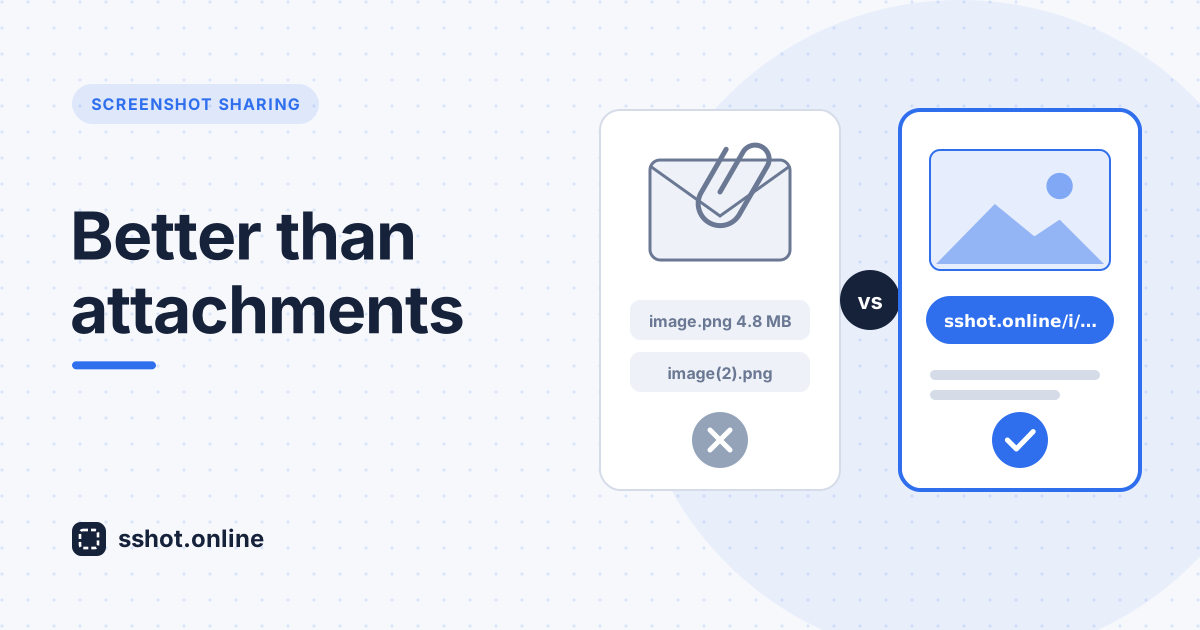
In today's fast-paced digital workspace, communication matters more than ever. Yet many teams still rely on outdated methods for sharing visual information. Email attachments have dominated workplace communication for decades, but they're becoming increasingly problematic. Link-based tools like sshot.online offer a smarter, faster alternative: screenshot sharing instead of attachments.
The real problem with email attachments
Sending screenshots through email feels convenient at first. You capture something on your screen, attach it to a message, and hit send. Simple, right? Not really. The attachment method creates headaches most people don't consider.
- Duplicate files everywhere. Every recipient gets their own copy, saves it somewhere, and soon scattered versions are floating around different inboxes and servers.
- Storage limits. If your team regularly sends screenshots as email attachments, mailboxes quickly bloat with image files and hit size quotas.
- Images that never arrive. A high-resolution screenshot of a dual-monitor setup can be big enough to bounce or get stripped by a mail server. You see the message go out, the recipient never gets the image, and someone has to resend a smaller version with less detail.
- Hard to find later. Digging through months of email for the right image is so tedious that people often just re-capture a screenshot they already took.
- Copies you can't take back. Once a screenshot with client details or internal data lands in someone's inbox, it can be forwarded and stored indefinitely, out of your hands.
- Slow collaboration. When a screenshot needs updating, someone has to capture a new one, write another email, and everyone starts the thread again.
Why screenshot sharing without attachments is the future
Sharing screenshots without attachments changes how teams communicate. Instead of cluttering inboxes with image files, you send a short link that works in any channel.
That's exactly how sshot.online works. You capture or paste your screenshot, it uploads in about a second, and you get a shareable link. No file attachment, no inbox storage, no signup. Send the link by email, Slack, Microsoft Teams, Discord, a project management tool, or a support ticket. The screenshot lives in one place, and everyone opens the same image.
The best way to share screenshots
The best way to share screenshots comes down to three things:
- Speed. Nobody wants to wait for uploads or processing.
- Simplicity. As few steps as possible between capture and sharing.
- Reach. A link that opens in any browser, on any device, with no download.
This is where sshot.online beats email attachments for screenshots. With the browser extension you can select a region, annotate it with arrows, boxes, and text, and upload it straight to a link. Every upload also comes with a direct image link you can embed in docs, READMEs, or forum posts.
Screenshot instead of email: real-world benefits
When teams send a screenshot link instead of an email attachment, everyday work gets easier:
- Project managers share UI mockups with clients instantly, without worrying about attachment size limits.
- Support specialists drop visual walkthroughs into tickets and documentation without creating huge email threads.
- Designers gather feedback on concepts quickly by pasting a link into the team chat.
One link gets your message across clearly. An annotated screenshot works as the explanation, the proof, and the documentation, and cuts down on "what did you mean?" replies. For remote teams across time zones, links fit async communication well: people open them whenever it suits them, in whatever tool they already use.
Why not send screenshots as email anymore?
There's little reason to keep attaching screenshots to emails. Attachments waste storage, multiply copies of potentially sensitive images, and make collaboration clumsy. A link keeps the image in one place, keeps inboxes light, and works in every app your team uses, including email when you still need it.
Getting started with better screenshot sharing
Switching from email attachments takes minutes:
- Go to sshot.online and paste (Ctrl+V) or drop your screenshot onto the page.
- Copy the share link that appears.
- Paste it into your email, chat, or ticket instead of attaching the file.
When choosing a tool, look for speed, simplicity, and links that work everywhere. Check that it fits your existing workflow and offers what your team actually needs, such as annotations or direct image links.
Making the switch without disrupting your team
You don't need a big announcement or a training session. Start with one workflow, such as bug reports, customer support replies, or design reviews, and use screenshot links for just that process for two weeks.
Then look at what changed. Do people reply faster when they can see the image straight away? Are there fewer "can you resend that?" messages? Small wins like these make the case far better than a policy memo.
Add a few light guidelines as you go:
- A privacy rule. Anyone with a link can view the image, so crop or cover passwords, customer records, and internal data before uploading.
- Keep links where the work happens. Paste them into the ticket, task, or channel they belong to, so they're easy to find again.
- Updates get a new link. Each upload has its own link. When you share a revised screenshot, say it replaces the earlier one, and the old link still shows the previous version for comparison.
Before long, links become the default and attachments feel like the slow option.
Conclusion
Moving from email attachments to modern screenshot sharing is real progress in workplace efficiency. Why not send screenshots as email anymore? Because better options exist. Sending a screenshot link instead of an email attachment means lighter inboxes, fewer stray copies, faster feedback, and less friction. Your team deserves tools that make communication easier, not harder, and the switch takes one paste.
Frequently asked questions
How is screenshot sharing different from email attachments?
Screenshot sharing hosts your image in one place and gives you a link to send, instead of duplicating the file across every inbox. That keeps mailboxes light and means everyone opens the same image.
Is screenshot sharing faster than email for teams?
Yes. Paste a screenshot into sshot.online and you get a shareable link in about a second, ready to drop into any chat, ticket, or email.
Do I need an account to share screenshots with sshot.online?
No. Uploading and sharing is free and needs no signup.
Does sshot.online work with my existing communication tools?
Yes. You can share links through email, Slack, Microsoft Teams, Discord, or any platform that accepts URLs.
Can I annotate a screenshot before sharing it?
Yes. The browser extension lets you select a region and add arrows, boxes, and text before uploading it to a link.
Do recipients need an account to open a screenshot link?
No. Recipients open the link in any web browser, which keeps things quick, especially with clients or partners outside your organization.
Do screenshot links work on mobile devices?
Yes. Links open in mobile browsers just like on a computer, with no download or app required.
Should screenshot links replace attachments in every situation?
For everyday visual communication, links are faster and cleaner. When you need a formal record kept with the message, such as a signed form or a legal exhibit, or when an image contains sensitive information, attaching the file or using a system with access controls is still the better choice.
Related articles
How to Share a Screenshot With a Link
Learn how to turn a screenshot into a shareable link so you can send it quickly without attaching large image files.
Read More →
How to Share Images Online Without Sending Large Attachments
A practical guide to sharing images through links instead of sending large files directly.
Read More →
How to Upload an Image and Get a Shareable Link
A simple guide to uploading an image and creating a link that you can share with anyone.
Read More →